Our Mission
Talk At Me is dedicated to breaking down barriers to text accessibility. We believe everyone should have equal access to written content, regardless of their reading abilities or visual impairments. Our app transforms any text into natural, high-quality speech, empowering users to consume information in the way that works best for them.
Key Features
📝 OCR Technology
Advanced optical character recognition that accurately extracts text from images, documents, and real-world objects.
🔊 Natural Voices
High-quality text-to-speech synthesis with English voices using built-in iOS speech.
📚 Smart History
Save and organize your converted text with intelligent categorization and quick access to frequently used content.
⚙️ Personalization
Customize speech rate, pitch, voice selection, and display settings to match your unique preferences.
How It Works
Transform printed text into speech in three simple steps. Our app makes text accessibility effortless with powerful OCR and natural voice synthesis.
Scan
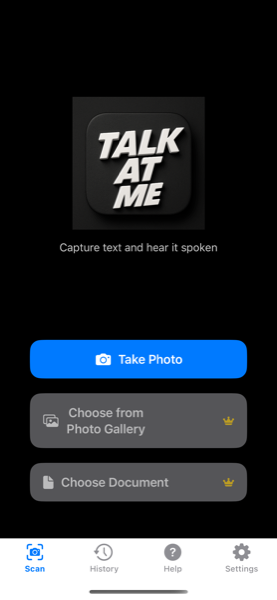
Tap the Take Photo button. Use your iPhone camera to capture printed text from books, documents, signs, or any text source. Our advanced OCR technology accurately extracts text in real-time.
Edit
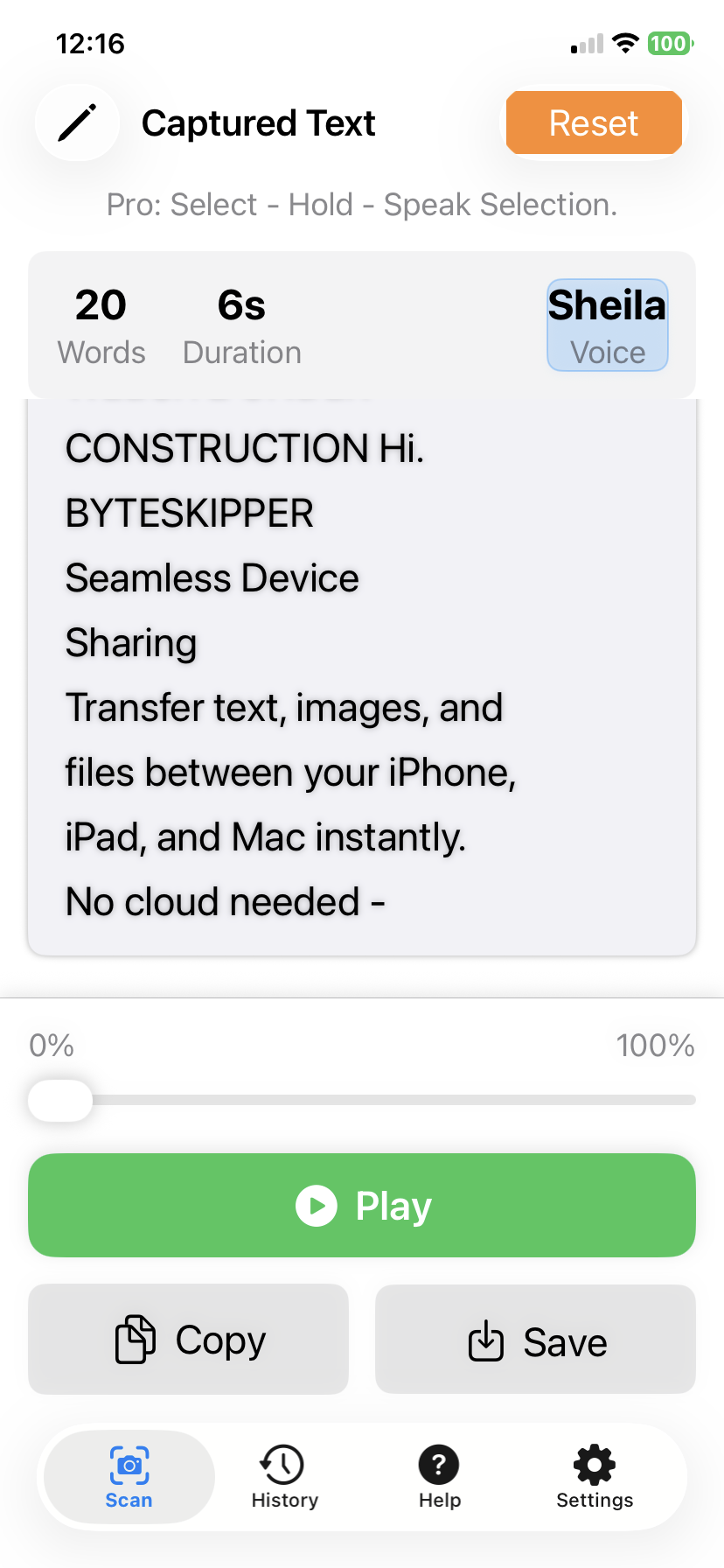
Review and edit the recognized text with our intuitive editor. Tap Play to hear it read aloud, Pause and Resume at any time, or Rewind to listen again. Change the default voice (Sheila) to suit your preference. Select specific words, sentences, or paragraphs to speak. Copy text to your clipboard or Save to your personal library for later.
Export
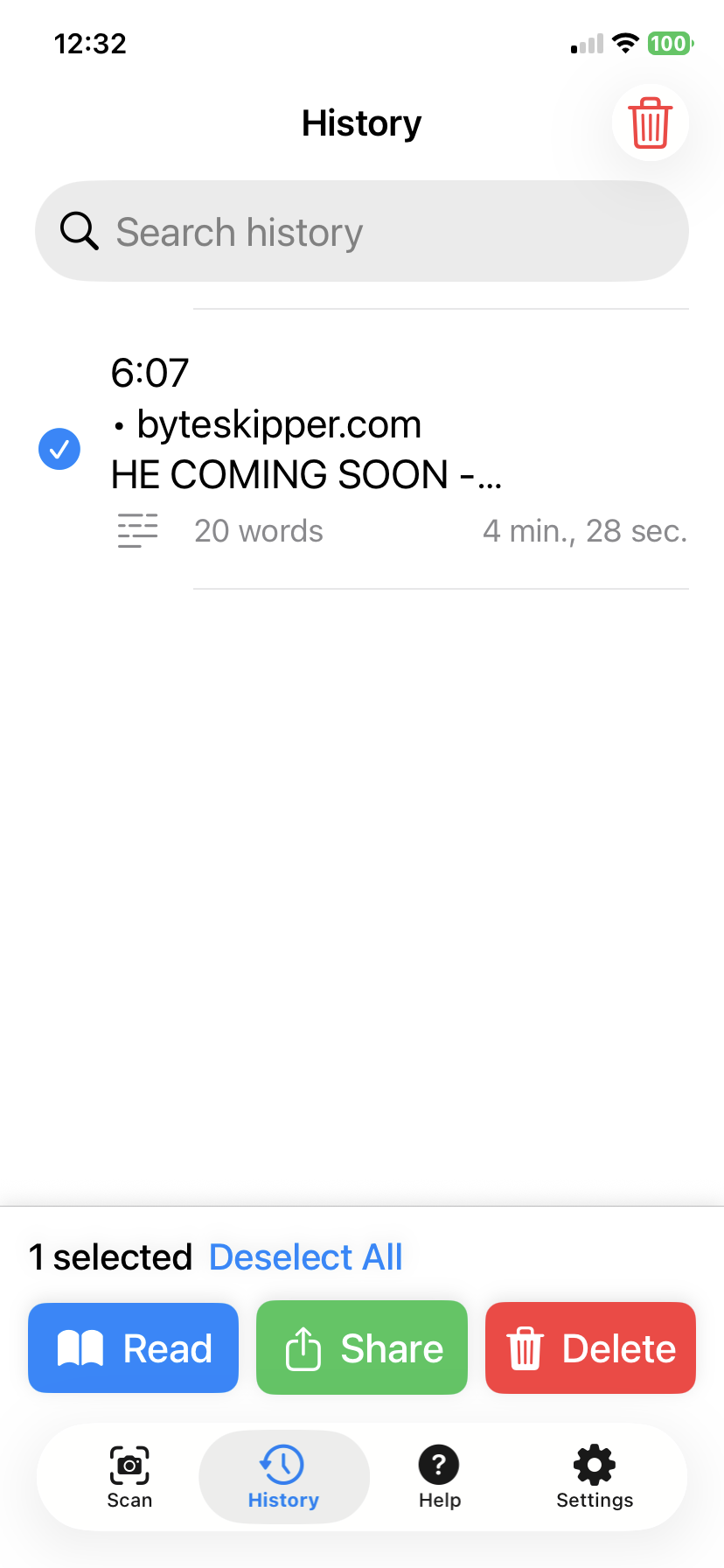
Access your saved scans from History. Tap Read to instantly hear any previous scan read aloud. Use Share to send text via Messages, Mail, AirDrop, or export as PDF/TXT. Tap Delete to remove entries you no longer need.
Frequently Asked Questions
Is Talk At Me available on Android?
Currently, Talk At Me is available exclusively on iOS. We're exploring Android options for the future.
Is there a free version or trial?
Yes! Talk At Me offers a Free tier with core features including camera scanning, text-to-speech, and basic history. You can try all essential features before deciding to upgrade to Standard or Pro for advanced functionality. See the App Store for current pricing.
Which iOS devices are supported?
Talk At Me works with any modern iPhone running iOS 17.0 or later. For best performance, we recommend iPhone 15 or newer.
How accurate is the text recognition?
Our OCR uses Apple's Vision Framework for high accuracy on clear text. Success rate varies with image quality, lighting, and font type. For best results, ensure good lighting and focus.
Does it work offline?
OCR runs entirely on-device using Apple's Vision Framework. Scanned text is never uploaded. Text-to-speech also works fully offline.
What languages are supported?
We support English, however are exploring other international languages.
What happens to my text and images?
Your privacy is protected. All text recognition happens on your device using Apple's Vision Framework. Your scanned content never leaves your device. Only anonymous usage analytics are collected (opt-out in Settings).
How do subscriptions work and can I cancel anytime?
Subscriptions are handled through Apple's App Store for secure payment management. You can upgrade, downgrade, or cancel anytime through your Apple ID settings. Changes take effect at the next billing cycle, and you keep access until the current period ends.
Can I just select a single word, sentence or paragraph?
Yes. It's called Selectable text (Select-Hold-Speak-Selection). It allows Pro users to select specific portions of text to speak, rather than the entire document.
Privacy & Security
Your privacy is our top priority. Talk At Me processes all text recognition locally on your device using Apple's Vision Framework. Your scanned content never leaves your device. Only anonymous usage analytics (via TelemetryDeck) are collected, and you can opt out in Settings.
Who We Help
- Visually Impaired Users - Access printed text, documents, and digital content independently
- Learning Disabilities - Support for dyslexia and other reading challenges
- Language Learners - Hear proper pronunciation and improve language skills
- Busy Professionals - Convert text to audio for hands-free consumption
- Elderly Users - Make small text readable and accessible